
VESC Tool
Benjamin VedderTools
4.357.00 Reviews
- Version
- 6.06
- Installs
- 10.00K
- Age Rating
- Everyone
Screenshots
Our Review of VESC Tool
 Analysis by Appyee
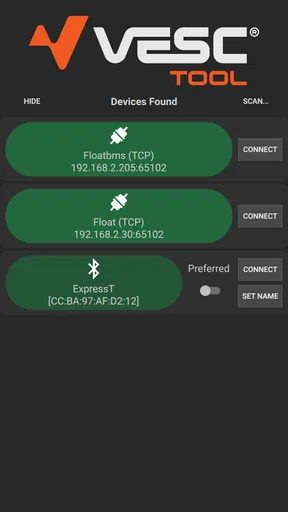
When I’m tuning an electric ride, a phone connection can make the difference between a quick check and a frustrating interruption. VESC Tool is a specialist tool for monitoring and configuring VESC-compatible devices through Bluetooth Low Energy (BLE) or Wi-Fi. That makes it most useful when I’m near the hardware and want to work with the controller rather than rely on a general-purpose ride companion app.
When a connection matters
The connection is central to the experience: the app communicates with a compatible device over BLE or Wi-Fi, so the practical first question is whether your controller and chosen connection method work together. I’d check that before relying on the app for a planned adjustment. A phone seeing a wireless device does not, by itself, establish that every controller function will be available; compatibility with VESC hardware is the point of this tool.
That distinction also helps set expectations. This is not simply a dashboard that happens to show ride information. Its appeal is the combination of monitoring and configuration, with the phone acting as an interface to the connected device. If I’m only looking for basic trip tracking, a regular cycling or skating app is likely a simpler fit. If I need to inspect or change controller settings, a generic tracker does not serve the same purpose.
Useful on a workbench and beside the ride
I’d treat a stable setup session differently from a quick roadside check. At a bench, I can take time to connect, review the relevant settings and make deliberate changes. Out on a ride, attention belongs on the road, not a screen full of controller information. I would stop somewhere safe before using the app, and avoid changing configuration while moving.
A realistic use case is checking a VESC-compatible setup before heading out: connect while stationary, look over the device information that matters to the task, and make only a change I understand. If the connection drops, I’d rather pause and re-establish it than guess whether a setting took effect. This cautious workflow is especially sensible when a configuration change can affect how the vehicle responds.
Connection trouble and careful recovery
Wireless links can be temperamental, and BLE and Wi-Fi are not interchangeable in every setup. If the app does not connect, I’d first confirm that the controller is powered and that I’m using the connection method supported by my arrangement. Then I’d move closer, check that the phone is connected to the intended device or network, and try again while stationary. A restart may help with a temporary app-side hiccup, but repeated disconnects are a reason to stop troubleshooting in an unsafe place.
After an interruption during configuration, I would not assume that a partially completed operation succeeded. Reconnect and inspect the relevant state before making another change. This is a useful habit with any controller tool: it prevents a second attempt from being based on a mistaken assumption about the first. For routine monitoring, an occasional interruption may be annoying; during a firmware or settings operation, it deserves more care.
Use the connection deliberately
Because the app links to vehicle hardware, I’d open it when I have a clear reason to connect rather than leave it as a constant companion. That keeps the task focused and avoids turning a ride into a stream of screen checks. For data-conscious use, I’d also limit attention to the readings needed for the job instead of collecting numbers simply because they are available. The most useful information is the information that helps answer a specific question about the setup.
For a new owner, I’d write down the original configuration before experimenting, using a method that suits the device and does not depend on memory. Make one change at a time, then check the result in a controlled setting. That makes it easier to identify which adjustment caused a difference and gives you a reference point if you want to reverse course. It is a more reliable approach than changing several settings at once and trying to reconstruct what happened later.
The app is aimed at people already using VESC-compatible hardware, not at someone choosing an electric board or bike for the first time. If you are unsure what a controller setting does, the safer choice is to learn its purpose before touching it. Riders who want only a simple speed display or route log may find a standard ride app less demanding. Here, the extra control is valuable precisely because it brings extra responsibility.
In the tools category, the closest everyday alternatives are usually manufacturer companion apps and broad ride trackers. A manufacturer app may be easier for a narrowly supported product, while a tracker is better for routes and activity records. This tool’s niche is communicating with VESC-compatible devices for monitoring and configuration. I would choose it for that specific job, not expect it to replace every app I use around an electric ride.
What using VESC Tool feels like
Have you ever found yourself wanting more control over your electric skateboard or e-bike? Enter the VESC Tool, a game-changer for all things electric mobility. This app is like having a tech-savvy friend who knows all the ins and outs of your ride. So, buckle up as I take you through my experience with this nifty tool.
The First Ride
The first thing I noticed when I opened the app was its sleek and user-friendly interface. I mean, who doesn’t appreciate an app that looks good and performs even better? As someone who’s not a tech genius, I found the setup process surprisingly straightforward. The app guides you through each step, ensuring that even newbies can get their devices up and running without a hitch.
Customization Galore
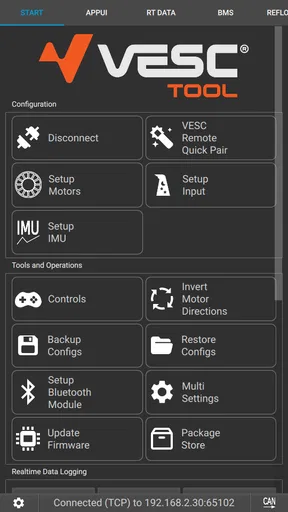
One of the standout features of this app is the level of customization it offers. You can tweak almost every aspect of your vehicle’s performance. Want to adjust the acceleration curve or limit the top speed? No problem. It’s all there at your fingertips. I spent a good chunk of time playing around with these settings, and I have to say, it’s quite addictive. The ability to tailor the ride to my exact preferences was a game-changer.
Real-Time Monitoring
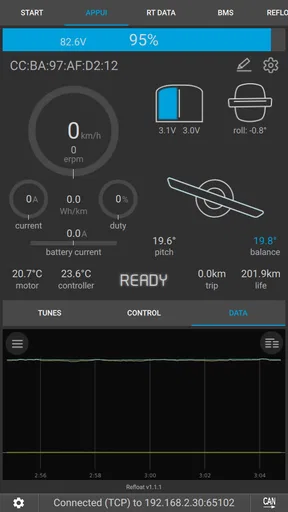
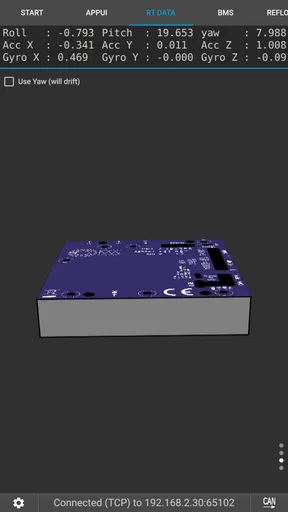
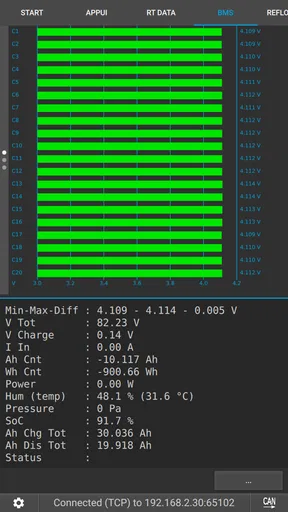
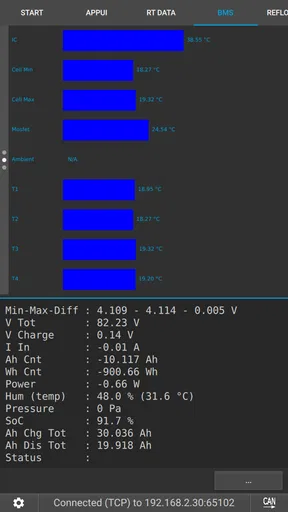
As someone who loves data, the real-time monitoring feature is a dream come true. The app displays everything from battery voltage to motor temperature, all in real-time. This level of insight is invaluable, especially if you’re someone who likes to push your gear to the limits. Plus, it’s super fun to keep an eye on all the stats while you're zooming around.
Firmware Updates Made Easy
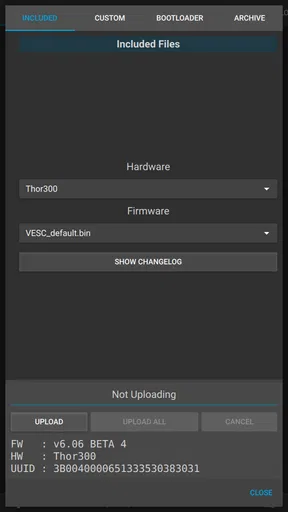
We all dread those pesky firmware updates, right? But with the VESC Tool, updating your firmware is as easy as pie. The app notifies you when an update is available and walks you through the process. It’s a breeze compared to other apps I’ve used in the past. This feature alone can save you a ton of time and frustration.
Community and Support
Another aspect that I truly appreciate is the community support surrounding the VESC Tool. The app is constantly being updated and improved based on user feedback. There’s a dedicated community of users who are always willing to help out with any questions or issues you might have. It’s reassuring to know that you’re not alone when navigating the world of electric mobility.
Room for Improvement
While the app is pretty impressive, there are a couple of things that could be better. For instance, the initial learning curve might be steep for some users. Although the app is user-friendly, the sheer volume of available options can be overwhelming at first. A more detailed tutorial or help section could be beneficial for newcomers.
Also, while the app works seamlessly most of the time, I did experience a few minor connectivity issues. These were mostly resolved by restarting the app, but it’s something to keep in mind if you’re planning to rely on it heavily.
Who I’d recommend it to
Benjamin Vedder’s app is a focused choice for owners who already know they have a VESC-compatible controller and want a phone-based way to inspect or configure it. It is less compelling for casual riders who never adjust controller behavior, or anyone expecting the app to automatically make an unfamiliar setup safe. The useful middle ground is a rider who wants more insight but is willing to learn what each adjustment means.
There is also a practical trade-off in paying for a specialist tool. It costs $3.99, so I’d want a clear need for VESC monitoring or configuration before buying it. For someone who will use those functions repeatedly, having them in one dedicated tool can be worthwhile; for occasional basic ride statistics, a free general-purpose tracker may be the more sensible choice.
Version, compatibility and expectations
The current release is version 6.06, and it runs on Android 6.0 or later. The app is rated for Everyone, but that age rating should not be confused with the skill needed to change vehicle settings: the interface may be accessible while the consequences of an adjustment still call for care. I’d treat the controller’s compatibility and the phone’s connection as the two things to sort out before counting on it for a session.
It has an average rating of 4.3 from around 300 ratings, with more than 10,000 installs. Those figures suggest a tool with an established audience, though they cannot tell me whether it supports a particular controller arrangement. The useful decision is still personal: if your hardware is compatible and you need configuration access, its purpose is clear; if not, a standard companion or tracking app may fit better.
Final thoughts
Overall, the app is a must-have for anyone serious about electric mobility. It’s like having a Swiss Army knife for your electric skateboard or e-bike. With its myriad of customization options, real-time monitoring, and strong community support, it stands out in a crowded market. So, if you’re looking to take full control of your ride, give the VESC Tool a spin. Trust me, your inner tech geek will thank you.
Verdict
Strengths of VESC Tool
- User-friendly interface for easy navigation.
- Comprehensive real-time data monitoring.
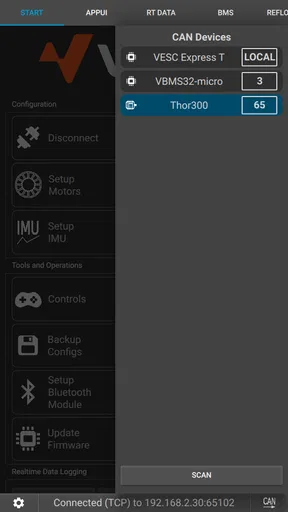
- Supports a wide range of VESC hardware.
- Frequent updates and improvements.
- Customizable settings for advanced users.
Limitations of VESC Tool
- Steep learning curve for beginners.
- Limited compatibility with non-VESC devices.
- Occasional bugs in beta features.
- Requires technical knowledge for full use.
- May drain battery quickly on mobile.
Similar Picks in This Category
View All
Google LLC4.0

Gboard - the Google Keyboard
Google LLC4.5

Google Play services
Google LLC4.3

Google Play Store
Google LLC4.9

Files by Google
Google LLC4.5

SHAREit: Transfer, Share Files
Smart Media4U Technology Pte.Ltd.4.3
Frequently Asked Questions
What is VESC Tool and what does it do?
VESC Tool is a comprehensive app designed for configuring, monitoring, and updating VESC-based motor controllers. It allows users to customize settings for electric skateboards, bikes, and other vehicles to optimize performance. With features like real-time data analysis and firmware updates, it’s an essential tool for enthusiasts and professionals alike.
Is VESC Tool compatible with all devices?
VESC Tool is compatible with both Android and iOS devices, ensuring a wide range of accessibility. However, it’s crucial to check the specific device requirements and compatibility with the VESC hardware you own. Some features might be limited or require specific firmware versions, so always verify compatibility before downloading.
Are there any costs associated with using VESC Tool?
VESC Tool itself is free to download and use, offering a wide range of functionalities at no cost. However, some advanced features or updates might require in-app purchases or subscriptions. Users should review the app’s pricing model within the app store to understand any potential costs involved.
How user-friendly is VESC Tool for beginners?
While VESC Tool offers a robust set of features, it can be complex for beginners unfamiliar with motor controllers. The app provides detailed manuals and tutorials to help new users. It’s advised that beginners take the time to understand the basics of VESC operations to fully utilize the app’s capabilities safely.
What safety precautions should I take when using VESC Tool?
When using VESC Tool, ensure that all configurations are correct to prevent damage to your equipment. Incorrect settings can lead to motor failure or safety hazards. Always follow guidelines provided in the app and consult with experienced users if uncertain. Regularly update the firmware to ensure optimal performance and safety.
